The internet is deeply stitched into daily life, used for banking, work, connecting with others, and storing memories. But with that convenience comes risk. Threats like identity theft, hacking, and online scams aren't rare; they’re part of the landscape now. Disconnecting may sound tempting to avoid them, but going offline isn’t practical. The better option is learning how to protect yourself while staying connected. With a few consistent habits and smart choices, digital security can become part of your routine without needing to shut the door on modern life.
Reusing the same password across different sites is like locking every door in your house with the same cheap key. If someone gets in once, everything becomes accessible. Instead, use distinct passwords for each account. A strong password is long, unpredictable, and doesn’t include common words or anything tied to your identity. Use a password manager if remembering them becomes too much. These tools help you keep track without compromising strength or variety, and they store everything in an encrypted vault only you can access.
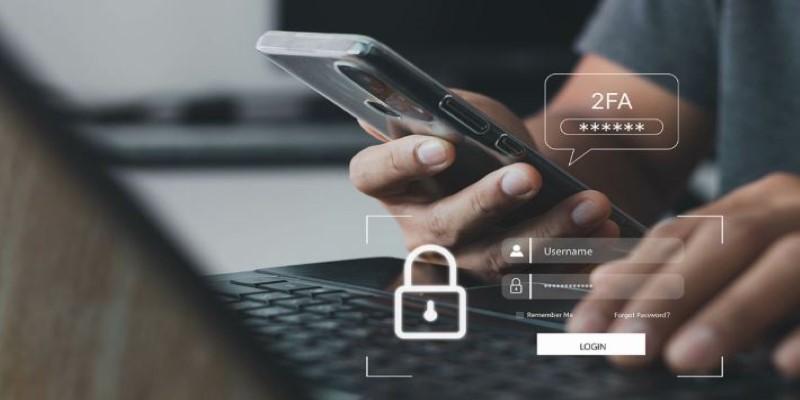
Two-factor authentication (2FA) makes it harder for anyone to access your accounts, even if they know your password. It works by asking for an extra step—like a temporary code from an app or text message. This extra barrier can stop intruders in their tracks. Many platforms, especially those dealing with sensitive information like email, finance, or healthcare, support 2FA. Activating it only takes a few minutes, but it dramatically improves your account security and puts an added lock on your most important data.
Outdated software often leaves the door open for security breaches. Developers release updates to patch flaws that unauthorized users could take advantage of. Skipping or delaying updates means those weak points remain exposed. Keep your operating system, applications, antivirus tools, and even browser extensions up to date. Turn on automatic updates when possible so fixes install without needing your input. This simple habit helps your system stay protected with the latest safeguards.
Using public Wi-Fi in places like airports, hotels, or coffee shops might be convenient, but these networks are often unsecured. People with bad intentions can monitor activity on them and intercept your information without your knowledge. It's best not to log into important accounts or enter personal details when you're on these networks.
Phishing works by tricking people into revealing sensitive information, often through emails or messages that look real but aren’t. They might pretend to be from your bank, a delivery service, or a popular platform you use. These messages often urge you to act quickly—click a link, reset a password, or verify an account. But these links lead to fake sites or download malware. Always double-check sender addresses, hover over links to preview where they go, and avoid clicking anything that seems off. When in doubt, go directly to the official website.
Be mindful of the personal information you share online. Details like your birthday, location, or job can be combined to form a profile that may be used to guess passwords or impersonate you. Review your privacy settings on social media and remove anything unnecessary. Avoid posting your real-time location or travel plans, as this can expose you to risks. The less personal data available publicly, the harder it is for someone to misuse your identity or online presence.
It’s easy to focus only on digital threats and forget the risks of losing a device. Phones and laptops often carry a huge amount of sensitive information. Set up encryption so that even if someone takes your device, the data stays unreadable. Use strong passcodes, fingerprint ID, or face recognition to lock your screen. Enable features like “Find My Phone” or remote wipe, so you can erase everything if the device is lost or stolen. Physical security supports all your online safety measures.
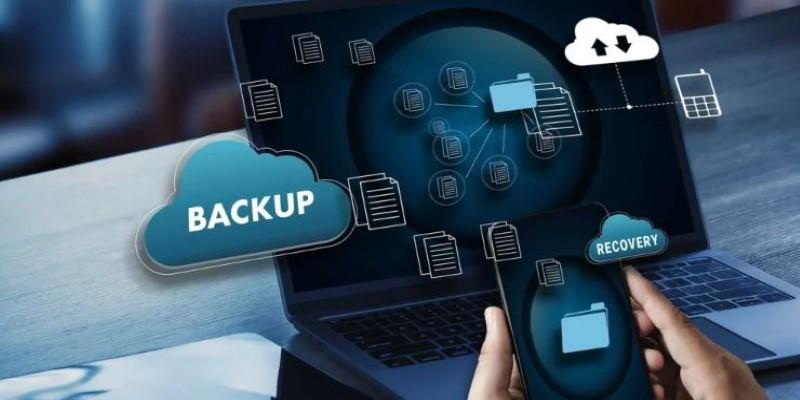
If you’ve ever lost data to a hardware crash or accidental deletion, you know how frustrating it is. But data loss isn’t always your fault—ransomware can lock your files, and power failures can corrupt data instantly. Create regular backups of important files, both in cloud storage and on external drives. Automate the backup process where possible, so it doesn’t rely on memory or reminders. Make sure at least one copy is kept offline or on a separate network in case of malware infections.
Many websites track your movements online. They collect browsing habits, build profiles, and often sell that data. To reduce this, choose browsers and search engines built with privacy in mind. Some browsers block trackers, pop-ups, and cookies by default. Others offer options like private browsing sessions that don’t save your history. Switching to search engines that don’t log your queries helps minimize data collection. Together, these choices shrink your exposure and make it harder for companies or bad actors to track your behavior online.
Staying safe online doesn't come from tools alone; it also depends on what you know. Learn about common scams, password tips, and safe browsing habits. Resources like cybersecurity blogs, short courses, and official security guides can help you stay aware of new threats. Share what you learn with people around you. Children, seniors, and less tech-savvy friends often become targets because they don't know what to watch for. Teaching others adds another layer of protection not just for them, but for everyone they interact with.
Staying safe online doesn’t mean stepping away from digital life. Strong passwords, software updates, cautious sharing, and a few extra steps like two-factor authentication can protect your privacy. These small habits, when practiced consistently, form a reliable defense. Over time, digital security becomes part of your everyday routine.
 TOP
TOP
Get an in-depth look at the new Photoshop iPhone App. We unpack the full feature set, including Generative AI, non-destructive compositing, and seamless Creative Cloud integration for true Mobile Photo Editing
 TOP
TOP
Deciding if upgrading to a paid Dropbox plan is worth the cost? We analyze the features of Dropbox Plus Worth It, including Smart Sync, secure sharing, and advanced file versioning for professionals
 TOP
TOP
Unlock the full potential of YouTube Music. Discover nine hidden features like Smart Downloads, the seamless video toggle, and custom radio builders to transform your listening
 TOP
TOP
Explore the quiet evolution of One UI 8. Discover the refined multitasking, faster AI tools like Audio Eraser, and subtle visual enhancements in the new Samsung software update
 TOP
TOP
Transform your holiday with smart home automations. Create enchanting light shows and Santa sightings that elevate the holiday magic for your kids
 TOP
TOP
How I turned my Boox Palma into a portable word processor for focused, on-the-go writing with minimal distractions
 TOP
TOP
Explore the best gaming laptops of 2025 with high-end graphics, fast refresh rates, and optimized performance for serious play
 TOP
TOP
Discover the best ad blocker tools to improve speed, reduce clutter, and protect your privacy while browsing online
 TOP
TOP
Make your Google Pixel 9a work your way by adjusting key settings that improve performance, layout, and daily use
 TOP
TOP
Boost digital security with 10 practical steps to stay safe online—no need to go offline or give up your digital lifestyle
 TOP
TOP
Discover the best movie showtimes app for iPhone in 2025. Compare features, reviews, and ticket options for your next movie night
 TOP
TOP
Use Android Auto routines to simplify driving. Discover how automation beyond home use improves commutes and road trips
