If you’re someone who checks five different apps just to stay updated on system performance, weather, or live stats, you’re not alone. Most of us bounce between tools and browser tabs, trying to piece together the information we care about. Infinity Dashboard offers a smarter way. It brings everything into one clean, customizable window on your Mac.
No distractions, no endless menus—just the data you want, updating quietly in the background. Whether it's tracking stock prices, CPU usage, or social stats, it keeps things simple. It’s not trying to wow you, it’s just built to be useful, every day.
Infinity Dashboard is a lightweight macOS app by Fiplab that lets you monitor useful information in real-time. It’s built around a modular layout where each panel, or "row", displays a data source of your choice. That could be your system’s CPU usage, disk space, or external data like weather, RSS feeds. You can even plug in your own API if you’re comfortable with a little coding. It’s minimal in design, but surprisingly effective if you like quick access to your most-watched stats.
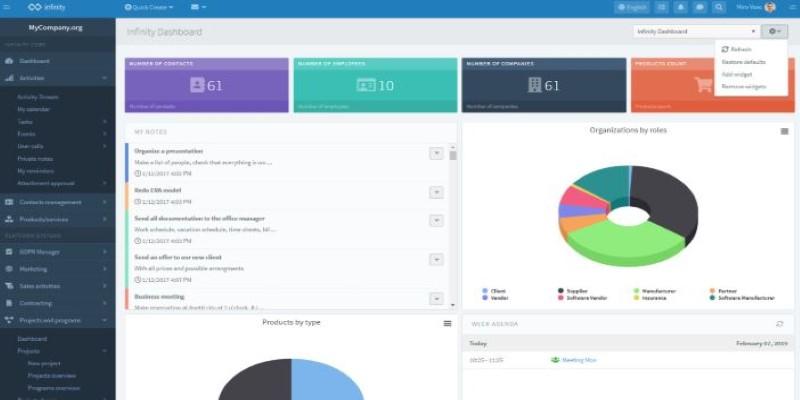
It avoids clutter by letting you control what shows up, how often it updates, and how it's presented. The goal isn't complex; it's clarity. You can set refresh intervals, drag rows to reorder them, and collapse the ones you don't need at the moment. Even if you're not tech-savvy, the default options make setup easy. For those who like a bit more control, it opens up to deeper customization with scriptable modules. But none of that is forced—just optional.
Infinity Dashboard doesn’t store or share your data. API keys are stored locally, and everything stays on your Mac. This privacy-first approach makes it a strong option for anyone wary of syncing personal or business information with cloud services.
Setting up Infinity Dashboard feels more like organizing a corkboard than configuring an app. Open it, choose the modules you care about, and set how often they should update. There’s a strong focus on practicality here. The system stats help you keep your Mac running smoothly—check memory, disk space, and CPU without touching Activity Monitor.
Then there’s the online side. You can follow live stock prices, or Ethereum values, the number of Instagram followers, YouTube subscribers, or even ping the uptime of a personal server or blog. If a service provides a JSON API, you can build your own row for it.
You don't need to be technical to make use of it, though. Most data sources are already built in and just require a few clicks to activate. For instance, want to monitor the weather? Select the weather module, pick your city, and done. The app updates that for you at the interval you choose.
Each row is customizable in size and icon. You can give your dashboard a look that suits how you work. For example, group your work stats on one dashboard and personal metrics on another. You can switch between them as needed without affecting performance.
It stays in the background until you want it. The interface is clean, non-intrusive, and feels like it belongs on macOS. This is not a flashy, animated workspace—it’s closer to a utility drawer that’s always neat.
Infinity Dashboard doesn’t chase feature overload. It focuses on what it does well—tracking specific data in a controlled, quiet format. You won’t find push notifications or reminders. Instead, the app waits until you open it. That design choice keeps it from becoming a distraction.
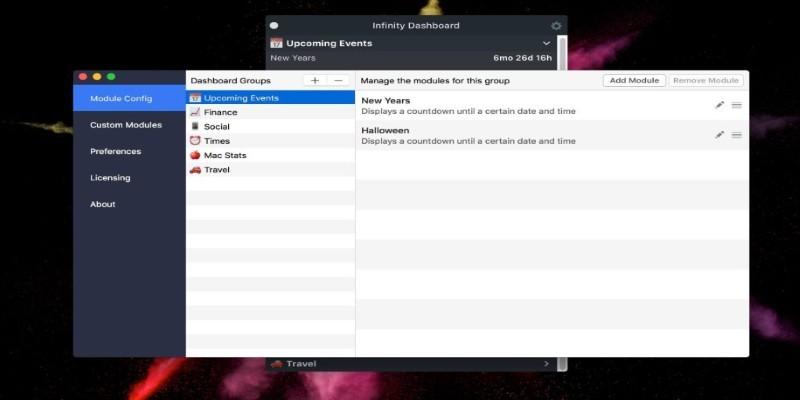
The customization extends beyond looks. You can adjust the size of individual modules, create separate dashboards for different needs, or set it to auto-launch on startup. Nothing about the layout is locked down. Want your system stats on top? Drag them there. Prefer darker themes? It’s got one. Need to track data across time zones or multiple currencies? That’s simple to set up.
For those who want a bit more, Infinity Dashboard allows you to plug in JavaScript or use webhooks. It doesn’t require you to code, but if you want to, the option is there. That makes it useful across a range of users—from designers and writers to developers and small business owners.
Its local-first design means no login, no syncing to a cloud, and no risk of account breaches. Your dashboard lives and breathes only on your device.
This tool is built for people who like information to stay in sight but out of the way. Developers might track server uptime or API response times. Content creators can follow subscriber counts and site traffic. Freelancers could combine time zone clocks, invoices due, and system stats.
It’s also helpful for anyone who monitors live data from multiple sources. That might be a shop owner keeping an eye on daily sales via a webhook, a student tracking class schedules, or someone watching stock tickers throughout the day.
What separates it from larger dashboards is how tightly it focuses on being local, simple, and visual. No setup wizard, no bloated integrations. Just rows of info updating quietly while you get on with other things.
For people who are tired of bloated project management tools, Infinity Dashboard offers a clean slate—literally. You build your own display, and it works exactly how you need it to. If your needs grow, the app has room to grow with you. But it never pressures you into using features you don’t want. It’s designed to serve you—not distract you.
Infinity Dashboard brings quiet structure to your screen. It gathers the data you care about—system stats, weather, follower counts, or uptime—and arranges it neatly in one place. No clutter, no alerts, just a calm interface that waits until you need it. Everything updates on schedule and stays within reach. You’re not hunting through tabs or apps anymore. It doesn’t try to do everything—it simply does what you tell it to. And often, that’s exactly enough to keep things clear.
 TOP
TOP
Get an in-depth look at the new Photoshop iPhone App. We unpack the full feature set, including Generative AI, non-destructive compositing, and seamless Creative Cloud integration for true Mobile Photo Editing
 TOP
TOP
Deciding if upgrading to a paid Dropbox plan is worth the cost? We analyze the features of Dropbox Plus Worth It, including Smart Sync, secure sharing, and advanced file versioning for professionals
 TOP
TOP
Unlock the full potential of YouTube Music. Discover nine hidden features like Smart Downloads, the seamless video toggle, and custom radio builders to transform your listening
 TOP
TOP
Explore the quiet evolution of One UI 8. Discover the refined multitasking, faster AI tools like Audio Eraser, and subtle visual enhancements in the new Samsung software update
 TOP
TOP
Transform your holiday with smart home automations. Create enchanting light shows and Santa sightings that elevate the holiday magic for your kids
 TOP
TOP
How I turned my Boox Palma into a portable word processor for focused, on-the-go writing with minimal distractions
 TOP
TOP
Explore the best gaming laptops of 2025 with high-end graphics, fast refresh rates, and optimized performance for serious play
 TOP
TOP
Discover the best ad blocker tools to improve speed, reduce clutter, and protect your privacy while browsing online
 TOP
TOP
Make your Google Pixel 9a work your way by adjusting key settings that improve performance, layout, and daily use
 TOP
TOP
Boost digital security with 10 practical steps to stay safe online—no need to go offline or give up your digital lifestyle
 TOP
TOP
Discover the best movie showtimes app for iPhone in 2025. Compare features, reviews, and ticket options for your next movie night
 TOP
TOP
Use Android Auto routines to simplify driving. Discover how automation beyond home use improves commutes and road trips
