First impressions often live on the small rectangle of a business card. But carrying stacks of cards, sorting them later, and typing in details has never been anyone’s favorite task. That’s where business-card scanner apps come in. They turn a quick photo into searchable contacts, and with iOS apps, the process is nearly effortless.
Beyond convenience, these tools save time, reduce clutter, and make networking smoother. If you’ve ever misplaced an important card or struggled to recall someone’s company, a scanner app may be your best assistant. Here are five of the best options available for iPhone users today.
CamCard has been around for years and has built a reputation as one of the most reliable business-card scanning apps for iOS. The app stands out for its simplicity. You take a photo of the card, and the app quickly identifies names, job titles, phone numbers, and email addresses.
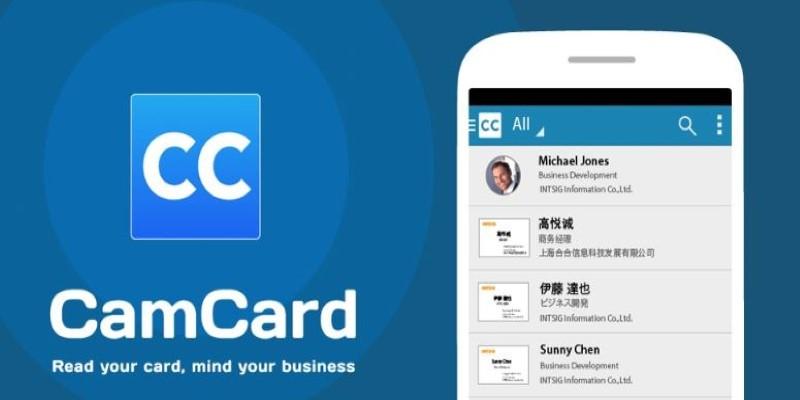
CamCard supports multiple languages, which makes it helpful if you work internationally. It also syncs across devices, so the contact you scan on your iPhone appears instantly on your iPad or desktop. Another useful detail is the batch scanning feature, where you can capture several cards in one session and let the app organize them.
The app also integrates with cloud services and email platforms, making it easier to connect scanned contacts to your workflow. It’s not overloaded with extra features, which is why many prefer it—reliable scanning with just the right amount of convenience.
ABBYY is well known for its optical character recognition (OCR) technology, and its Business Card Reader app brings that expertise to iOS. The strength of this app lies in its accuracy. Even cards with tricky fonts or unusual layouts are recognized and organized into editable contact fields.
The app can detect more than two dozen languages, so it’s useful for international conferences or cross-border work. ABBYY doesn’t just scan and save; it also links directly with your iPhone’s Contacts app. This means you don’t need to juggle two separate databases.
Another feature that makes ABBYY appealing is the ability to export contact data into popular formats like Excel or digital address books. That way, companies can manage new connections at scale. For anyone who values precision and professional integration, this app feels dependable.
Microsoft Lens, previously known as Office Lens, is more than just a business-card scanner. It’s a versatile document-scanning tool that handles receipts, notes, and whiteboards. But its card scanning feature deserves recognition.
When you capture a business card with Lens, the details can be exported directly into Outlook contacts or saved as a vCard file. This makes it easy to share contacts across devices or with team members. If you’re already in the Microsoft ecosystem, the integration with OneNote, OneDrive, and Outlook creates a seamless flow.
One advantage of Lens is its clean scanning interface. Even if you’re in a poorly lit conference hall, the app enhances the photo and increases readability. While it may lack some of the dedicated card-organizing features of competitors, the strength lies in its versatility—if you want one app to handle more than cards, Lens is a strong candidate.
ScanBizCards is designed with networking professionals in mind. It goes beyond capturing details by offering features that tie directly into customer relationship management (CRM) systems like Salesforce and HubSpot.

This integration means the contacts you scan don’t just live on your phone—they can flow into your company’s sales or marketing pipeline. For professionals who rely on structured follow-ups, this feature can save hours of manual data entry.
The app also provides both manual and cloud-based transcription. If the OCR struggles with a complicated card, you can request a manual review, ensuring accuracy. Other thoughtful touches include the ability to add notes to contacts right after scanning and the option to create reminders for follow-ups.
For individuals who see business cards as the beginning of a larger relationship management process, ScanBizCards bridges the gap between paper and strategy.
Haystack takes a slightly different approach. While it functions as a business-card scanner, it also allows you to create and share your own digital business card. This two-way model sets it apart and appeals to professionals who want flexibility in how they connect.
When you scan a physical card, the app organizes it neatly into your contacts. But you can also send a digital version of your own card through email or messaging. Recipients don’t need the app to view your card, which makes sharing effortless and professional for every type of user.
Haystack also supports team-wide use. Companies can standardize digital cards for employees and track how often they are shared or saved. For organizations that want consistent branding and measurable outreach, this becomes an appealing option.
Its scanning feature works well, but it’s the combination of scanning and digital card creation that makes Haystack unique. For users who want both personal convenience and modern ways to connect, it covers both bases with surprising efficiency.
Business cards may seem old-fashioned in an age of digital networking, but they still carry weight. The trouble comes with managing them once they leave someone’s hand and end up in yours. That’s where iOS business-card scanner apps step in, replacing clutter with convenience and improving how we manage professional connections every single day. The five apps highlighted—CamCard, ABBYY Business Card Reader, Microsoft Lens, ScanBizCards, and Haystack—each solve the same problem in slightly different ways. Whether you care about precision, integration, or sharing, there’s an app that fits. By turning a quick photo into an organized contact, these tools make sure a promising connection never gets lost in a drawer or overlooked again.
 TOP
TOP
Get an in-depth look at the new Photoshop iPhone App. We unpack the full feature set, including Generative AI, non-destructive compositing, and seamless Creative Cloud integration for true Mobile Photo Editing
 TOP
TOP
Deciding if upgrading to a paid Dropbox plan is worth the cost? We analyze the features of Dropbox Plus Worth It, including Smart Sync, secure sharing, and advanced file versioning for professionals
 TOP
TOP
Unlock the full potential of YouTube Music. Discover nine hidden features like Smart Downloads, the seamless video toggle, and custom radio builders to transform your listening
 TOP
TOP
Explore the quiet evolution of One UI 8. Discover the refined multitasking, faster AI tools like Audio Eraser, and subtle visual enhancements in the new Samsung software update
 TOP
TOP
Transform your holiday with smart home automations. Create enchanting light shows and Santa sightings that elevate the holiday magic for your kids
 TOP
TOP
How I turned my Boox Palma into a portable word processor for focused, on-the-go writing with minimal distractions
 TOP
TOP
Explore the best gaming laptops of 2025 with high-end graphics, fast refresh rates, and optimized performance for serious play
 TOP
TOP
Discover the best ad blocker tools to improve speed, reduce clutter, and protect your privacy while browsing online
 TOP
TOP
Make your Google Pixel 9a work your way by adjusting key settings that improve performance, layout, and daily use
 TOP
TOP
Boost digital security with 10 practical steps to stay safe online—no need to go offline or give up your digital lifestyle
 TOP
TOP
Discover the best movie showtimes app for iPhone in 2025. Compare features, reviews, and ticket options for your next movie night
 TOP
TOP
Use Android Auto routines to simplify driving. Discover how automation beyond home use improves commutes and road trips
