Macs are known for reliability, but when it comes to managing your online credentials, Apple’s built-in tools only go so far. Between logins, authentication codes, and private notes, it’s easy for things to slip through the cracks. That’s where the updated 1Password steps in. Designed specifically with macOS in mind, it’s not just a vault—it’s a smarter way to keep your digital life in check.
Whether you’re logging into dozens of sites daily or helping someone else manage theirs, 1Password handles it with quiet efficiency. The update brings a smoother interface, tighter integration, and better tools to keep everything secure, all without adding clutter or slowing you down. It feels less like an app and more like part of the system.
From the moment you open the updated 1Password, the interface feels right at home. Designed using SwiftUI, it follows the same look and behavior as Apple’s native apps. The sidebar, navigation, and preferences all feel like an extension of macOS, not a third-party layer.
Beyond looks, it performs well too. The app is fast and doesn't stutter or lag, even with large vaults. Touch ID and Apple Watch unlock are built in, and they work instantly. Autofill for Safari now covers both website logins and system dialogs, removing the need to copy and paste passwords or switch windows.
The Safari extension has also been reworked. It responds faster, can recognize complex login forms more accurately, and suggests relevant credentials as soon as you land on a site. It feels integrated in the right way, not tacked on. Whether you’re logging into your bank or a subscription service, the extension anticipates what you need and presents it smoothly.
The app keeps security high without locking users out of their own data. It uses end-to-end encryption paired with a device-specific Secret Key, which adds a strong extra layer. This way, even if someone has your login credentials, they still can’t get in without access to your Mac.
It also encrypts your vault locally, so your data stays protected whether you're connected or not. Recovering access is now more manageable with clearer options and better guidance, helping both first-timers and experienced users stay in control.
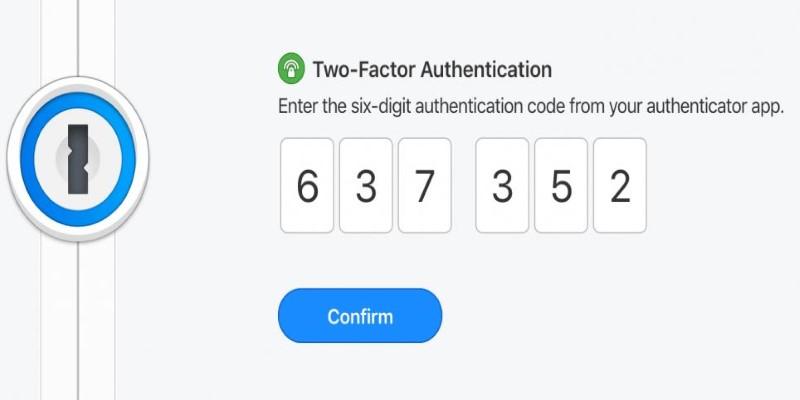
For those using two-factor authentication, 1Password can now generate time-based one-time passwords inside the app. No need for a separate authenticator. These codes are tied directly to the login item, streamlining your login steps while staying secure.
You can choose how you want to be notified about security concerns, set custom lock timers, and define how long the app stays open after inactivity. It’s flexible but never confusing. The balance between protection and convenience is hard to miss, and you can customize the level of caution that suits your workflow.
1Password isn't just for passwords. It’s also a place to store secure notes, credit card numbers, passport scans, software licenses, and more. Each entry can include file attachments, links, and custom fields so you can tailor things to your needs.
You can tag items or group them into categories to stay organized. The new search function is better at finding what you need fast. Whether it’s your Netflix login or the backup code for your email, the app brings it up in seconds.
Watchtower continues to be one of the most practical features. It scans your vault and lets you know if any passwords are weak, reused, or exposed in known breaches. The advice is clear and actionable, not filled with technical jargon. You get a real picture of your password health and can make fixes with a few clicks.
There’s also a feature for sharing credentials securely, whether with family or co-workers. You can control who sees what and how long they have access, which is especially useful when managing multiple devices or helping someone else log in remotely. For people who support others with tech issues or share services, this tool saves time and avoids confusion.
Most password managers try to do everything across all platforms. The result is often a product that feels generic or bloated. What sets 1Password apart is how well it fits into the Apple world. The update doesn’t add gimmicks—it refines the features that matter most to users who care about privacy and efficiency.

This version doesn’t just work on a Mac. It feels like it was made for it. You won’t get annoying popups or overly complicated settings. It quietly does its job, staying out of the way until you need it.
Cross-device syncing is smooth. You can use iCloud or 1Password’s own service. Logins update in real time across Mac, iPhone, and iPad. If you start filling out a form on your Mac and want to continue on your phone, everything’s already there waiting. It’s quick, clean, and accurate.
Updates to the subscription model and team accounts make it easier for households or small businesses to stay secure together. The experience remains personal and clear, even when shared. For Mac users looking for a no-hassle solution, 1Password makes more sense than ever.
The updated 1Password manager is more than just a safe vault—it’s a well-designed app that improves how you manage digital life on a Mac. With faster performance, modern design, and thoughtful security, it becomes a tool you rely on without even thinking about it. If you've been juggling logins, storing passwords in Notes, or using the same one everywhere, 1Password offers a simple way to take control. It feels built for your Mac, fits your daily routine, and does its job quietly in the background. It brings together function, design, and peace of mind in a way few apps do—and that alone makes it worth using.
 TOP
TOP
Get an in-depth look at the new Photoshop iPhone App. We unpack the full feature set, including Generative AI, non-destructive compositing, and seamless Creative Cloud integration for true Mobile Photo Editing
 TOP
TOP
Deciding if upgrading to a paid Dropbox plan is worth the cost? We analyze the features of Dropbox Plus Worth It, including Smart Sync, secure sharing, and advanced file versioning for professionals
 TOP
TOP
Unlock the full potential of YouTube Music. Discover nine hidden features like Smart Downloads, the seamless video toggle, and custom radio builders to transform your listening
 TOP
TOP
Explore the quiet evolution of One UI 8. Discover the refined multitasking, faster AI tools like Audio Eraser, and subtle visual enhancements in the new Samsung software update
 TOP
TOP
Transform your holiday with smart home automations. Create enchanting light shows and Santa sightings that elevate the holiday magic for your kids
 TOP
TOP
How I turned my Boox Palma into a portable word processor for focused, on-the-go writing with minimal distractions
 TOP
TOP
Explore the best gaming laptops of 2025 with high-end graphics, fast refresh rates, and optimized performance for serious play
 TOP
TOP
Discover the best ad blocker tools to improve speed, reduce clutter, and protect your privacy while browsing online
 TOP
TOP
Make your Google Pixel 9a work your way by adjusting key settings that improve performance, layout, and daily use
 TOP
TOP
Boost digital security with 10 practical steps to stay safe online—no need to go offline or give up your digital lifestyle
 TOP
TOP
Discover the best movie showtimes app for iPhone in 2025. Compare features, reviews, and ticket options for your next movie night
 TOP
TOP
Use Android Auto routines to simplify driving. Discover how automation beyond home use improves commutes and road trips
